

Landing pages exist to accomplish a single objective: move visitors toward a specific action. Every element on the page either contributes to that objective or works against it. Sliders on landing pages operate under this same unforgiving standard, which means the design considerations that govern sliders elsewhere on a website do not automatically transfer to landing page contexts where distraction carries a measurable conversion cost. Teams shipping campaign pages on a weekly cadence hit this constraint constantly, which is why Modulify built a dedicated workflow for marketers launching landing pages fast.
The tension between sliders and landing page conversion has fueled debate in the design community for years. Critics argue that sliders dilute focus and hide content behind navigation barriers. Proponents point to engagement data showing that well-designed sliders increase interaction depth and persuasion exposure. The productive path through this debate lies in understanding specifically how landing page sliders should differ from their counterparts on homepages, product pages, and portfolio sites in order to serve conversion goals rather than undermine them.
When Sliders Belong on Landing Pages
Not every landing page benefits from a slider. The decision to include one should be driven by content requirements and conversion strategy rather than aesthetic preference or layout habit. Understanding the specific scenarios where sliders add conversion value helps you deploy them strategically rather than reflexively.
Multi-Benefit Value Communication
When a product or service delivers multiple distinct benefits that each deserve focused attention, a slider can communicate these benefits sequentially without creating the overwhelming page length that presenting them all simultaneously would produce. Each slide focuses visitor attention on a single benefit with supporting imagery and a clear connection to the conversion action. This progressive disclosure model works because it respects the visitor's cognitive capacity while ensuring comprehensive value communication across the complete slide sequence.
The key distinction from general-purpose sliders is that every slide must reinforce the same conversion objective. A landing page slider for a SaaS product might dedicate individual slides to speed, reliability, and cost savings, but each slide should include or reference the same sign-up call to action. Slides that communicate value without connecting that value to the desired action waste persuasion momentum that landing pages cannot afford to lose.
Social Proof and Trust Building
Testimonial sliders and client logo carousels earn their place on landing pages by addressing the trust barrier that prevents conversion. When visitors arrive on a landing page from an advertisement or email campaign, they often encounter the brand for the first time. Credibility must be established quickly, and social proof sliders accomplish this by exposing visitors to multiple trust signals within a compact page section. The psychological impact of sequential social proof compounds with each testimonial viewed, building conviction incrementally as visitors engage with the carousel.
Product or Service Visualization
Landing pages for visual products, including design tools, physical products, and visual services, benefit from sliders that let visitors examine what they are considering purchasing or signing up for. Product image sliders that show multiple angles, use contexts, or result examples provide the visual evidence that text descriptions alone cannot deliver. These sliders reduce the uncertainty that prevents conversion by making the offering tangible before the visitor commits.
Conversion-Focused Slider Design Principles
Landing page sliders require design modifications that general-purpose sliders do not. Every design decision should be evaluated through the lens of whether it moves visitors closer to or further from the conversion action.
CTA Visibility Across Every Slide
The primary call to action must remain visible and accessible regardless of which slide is currently displayed. This can be accomplished through persistent CTA buttons that overlay the slider, through consistent CTA placement within each slide's content area, or through a fixed CTA section immediately adjacent to the slider that remains in view as slides change.
The worst landing page slider implementations hide the CTA behind slide navigation, displaying it only on the final slide or only on specific slides within the sequence. This approach assumes visitors will navigate the complete sequence before converting, an assumption that data consistently disproves. Most visitors who convert from landing pages do so after engaging with a fraction of the available content. Ensuring the CTA is always one click away respects this reality.
Content Sequencing for Persuasion Funnels
Landing page slider content should follow a persuasion logic rather than a category logic. The first slide captures attention with the strongest benefit statement or the most compelling visual. Subsequent slides build the case with supporting evidence, addressing objections and deepening the value proposition. The sequence creates a narrative arc that moves from curiosity through consideration toward commitment, mirroring the internal decision process that visitors experience during their time on the page.
This persuasion sequencing differs from how sliders on product pages or portfolio sites organize content. Those contexts often sort by category, recency, or popularity. Landing page sliders sort by persuasive impact, front-loading the content most likely to maintain engagement and build conversion momentum.
Minimal Navigation Friction
Navigation controls on landing page sliders should be simplified relative to general-purpose implementations. Complex pagination, thumbnail navigation, and elaborate progress indicators add cognitive overhead that distracts from the conversion objective. Simple arrow navigation or swipe gestures provide the movement capability visitors need without introducing interface elements that compete with the page's primary call to action for attention.
Autoplay deserves particular scrutiny on landing pages. While it ensures visitors see multiple slides without active navigation, it also removes user control and can create the feeling that the page is moving faster than the visitor's reading pace.
If autoplay is used, generous intervals of eight seconds or more and visible pause controls preserve the sense of control that comfortable decision-making requires. Many high-converting landing pages disable autoplay entirely, trusting that the slider content visible on initial load is compelling enough to motivate either conversion or voluntary exploration.
Slider Placement Strategy on Landing Pages
Where the slider appears within the landing page layout influences both its engagement rate and its conversion contribution. Placement decisions should account for the content preceding and following the slider, ensuring it occupies a position within the persuasion flow that maximizes its strategic value.
Hero Slider Positioning
Placing a slider in the hero section makes it the first substantive content visitors encounter. This prominent position works when the slider content represents the strongest conversion argument available: dramatic product imagery, a transformative before-and-after comparison, or a value proposition that benefits from multiple presentation angles. Hero sliders command maximum attention but also carry maximum risk, since a poorly designed hero slider pushes conversion-ready visitors past the above-the-fold section without capturing their intent.
Hero sliders on landing pages should be more constrained than their homepage counterparts. Three to four slides with focused messaging outperform five to seven slides with diffuse content. Each slide should be self-sufficient, communicating a complete thought that works independently because many visitors will see only the initial slide before scrolling or converting. The principles of high-converting hero sliders apply with even greater urgency in landing page contexts where first impressions directly determine whether visitors stay or bounce.
Mid-Page Evidence Sections
Sliders positioned in the middle of the landing page serve as evidence sections that support claims made in earlier content. After the hero section establishes the primary value proposition and a features section explains what the product does, a mid-page slider can provide the visual evidence, testimonials, or demonstrations that transform abstract claims into concrete proof. This positioning works because visitors encountering the slider have already been primed with the context needed to interpret the slider content as supporting evidence rather than standalone information.
Pre-CTA Trust Reinforcement
Placing a testimonial or results slider immediately above the final CTA section creates a trust reinforcement sequence that reduces last-moment conversion hesitation. Visitors who have scrolled through the complete landing page and arrived at the decision point encounter social proof precisely when their uncertainty peaks. This strategic placement converts the slider from a browsing feature into a commitment tool that addresses the specific emotional barrier of the conversion moment.
Performance Requirements for Landing Page Sliders
Landing page performance standards exceed general website requirements because every millisecond of load time measurably reduces conversion rates. Sliders that introduce load time penalties work directly against the page's conversion objective regardless of how well they are designed visually.
Image Optimization as a Conversion Factor
Landing page slider images must be aggressively optimized without visible quality degradation. Modern image formats, appropriate compression levels, and responsive serving through srcset attributes ensure that slider content loads within the performance budget that high-converting landing pages demand. Pre-loading the first slide image prioritizes the above-the-fold experience while lazy loading subsequent slides preserves page speed for content most visitors encounter during initial load.
Interaction Performance and Perceived Speed
Transitions between slides must execute without frame drops or visual stuttering, which visitors perceive as technical unreliability that undermines confidence in the broader offering. Hardware-accelerated animations, optimized image decoding, and minimal DOM manipulation during transitions maintain the smooth interaction quality that professional landing pages require. Visitors subconsciously associate interface performance with product quality, making technical implementation quality a conversion factor rather than merely a technical concern.
Building Landing Page Sliders in Webflow
Webflow's visual development environment creates natural alignment with landing page workflows where design iteration happens rapidly and conversion testing demands frequent component modification.
Native Capabilities for Simple Landing Page Sliders
Webflow's built-in slider component handles basic landing page slider requirements: hero rotations with static content, simple image sequences, and basic testimonial presentations. For landing pages with modest slider needs and tight timelines, native components provide the fastest path to a functional implementation. The limitations become apparent when landing pages require CMS-connected content that updates without designer involvement, multi-item card layouts for social proof sections, or the interaction refinement that conversion-optimized pages demand.
Goatslider for Conversion-Optimized Landing Pages
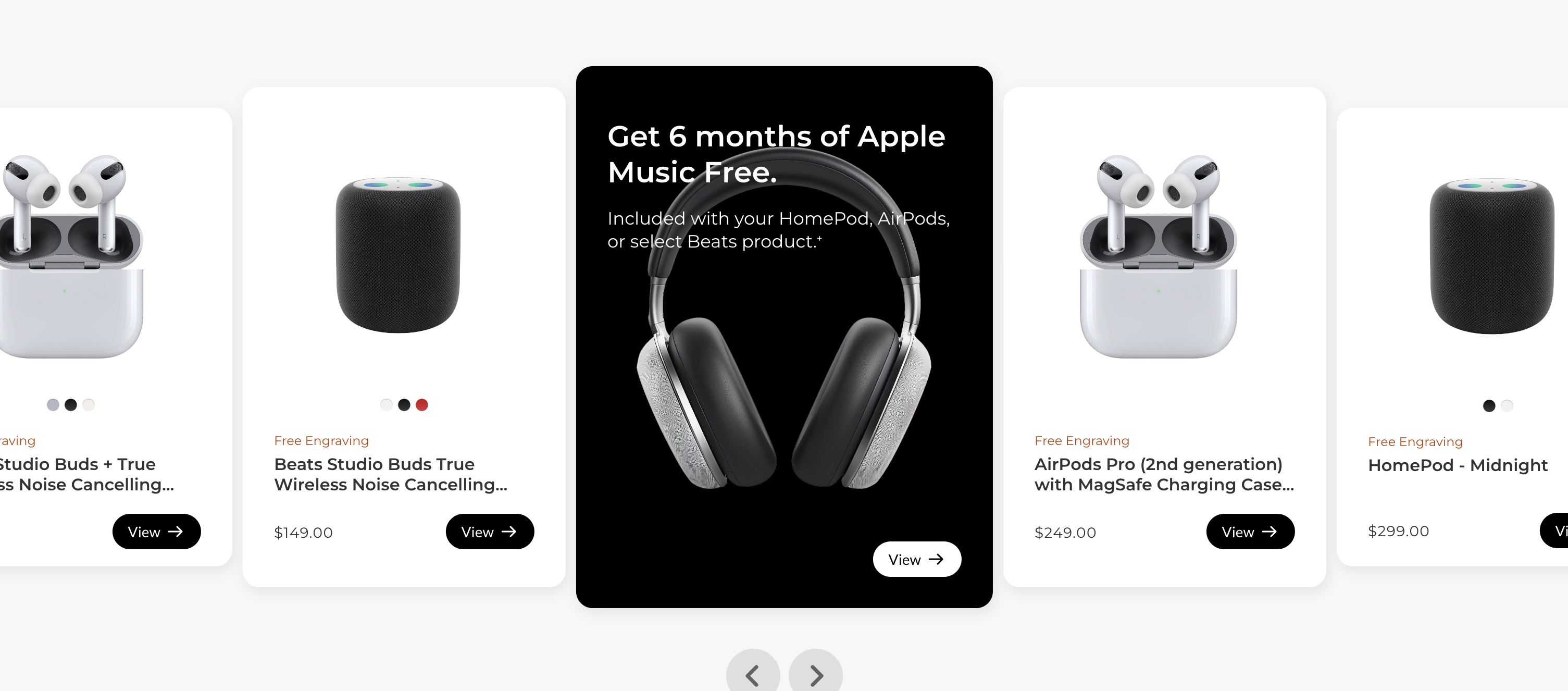
Goatslider extends Webflow's landing page slider capabilities with features specifically relevant to conversion contexts. CMS-connected testimonial carousels enable social proof sections that grow and update as new customer stories are collected, ensuring landing page evidence remains current without manual redesign. Card carousel templates create the multi-item layouts that recommendation and feature showcase sections require. Draggable navigation provides the interaction quality that visitors associate with professional, trustworthy platforms.
The template library includes slider patterns designed for the landing page contexts discussed throughout this guide: hero presentations that communicate focused value propositions, evidence sections that support conversion arguments with visual proof, and social proof carousels that build trust at the decision point.
For Webflow designers building landing pages where slider quality directly influences conversion rates, purpose-built solutions provide the design sophistication and interaction polish that conversion goals demand.



