🔥 Design Webflow sites with AI


Understanding how CMS integration transforms slider functionality and workflow efficiency is essential knowledge for web designers building maintainable, scalable websites.

Static sliders served web designers well in the early days of interactive content presentation, but the demands of contemporary websites have rendered purely static implementations insufficient for many applications. Content must evolve constantly to reflect new products, updated promotions, fresh portfolio pieces, and changing business priorities.
CMS-powered sliders address this reality by connecting dynamic content sources to visual presentation layers, enabling non-technical team members to update slider content without developer involvement.
When we discuss CMS-powered sliders, we refer to slider implementations that draw their content from structured data collections rather than hard-coded markup. In platforms like Webflow, this means connecting slider components to CMS collections that store slide content including images, headlines, descriptions, links, and any additional fields required for the presentation layer.
This architectural approach separates content from presentation, following a principle that has long guided professional web development. Content editors work within familiar interfaces to update text and images, while designers maintain control over how that content appears within the slider structure. Neither role requires the other's specialized skills to perform their functions effectively.
CMS-powered sliders require thoughtful structural planning during the design phase. The CMS collection must include all fields necessary for slide content, properly typed and organized. The slider component must be designed to accept dynamic data, with bindings established between collection fields and visual elements. This planning upfront prevents costly restructuring later when content requirements evolve.
Effective CMS slider implementations begin with comprehensive content modeling. Consider what information each slide requires: featured images, thumbnail images, headline text, body copy, call-to-action text, destination URLs, and potentially metadata for filtering or sorting. Each distinct content type becomes a field in the CMS collection, creating a structured template that content editors will populate.
The most immediate benefit of CMS-powered sliders is workflow efficiency. Marketing teams can update promotional sliders to reflect new campaigns without submitting developer tickets. E-commerce merchandisers can feature new products instantly when inventory arrives. Portfolio managers can add new project showcases as soon as photography is ready. This autonomy accelerates content operations while freeing developers for higher-value work.
The interface for content updates is the familiar CMS editor rather than complex design tools or code editors. Content team members can preview changes before publishing, schedule updates for future dates, and maintain version history for rollback if needed. These capabilities transform sliders from static design elements into dynamic content channels.
Traditional slider updates require design file modifications, development implementation, testing, and deployment. Even simple content changes can take days to move through this pipeline, particularly when developers are occupied with higher-priority projects. CMS-powered sliders eliminate most of this process for routine content updates, reducing time-to-publish from days to minutes.
This efficiency gain compounds over the lifetime of a website. A slider that requires monthly updates will demand twelve development cycles annually under the traditional model. With CMS integration, those same updates happen through the content management interface with no development involvement, freeing substantial capacity for new features and improvements.
CMS-powered sliders must accommodate content variability that static implementations can ignore. Headline lengths will vary. Image aspect ratios may differ despite guidelines. Some slides may include all optional fields while others use minimal content. The slider design must handle this variability gracefully, maintaining visual coherence regardless of specific content characteristics.
This requirement pushes designers toward more robust, flexible layouts. Text containers must accommodate varying lengths without breaking. Image treatments must work with slight aspect ratio variations. The overall composition must remain balanced whether slides include three content elements or seven.
Responsive design adds another dimension to dynamic content handling. Content that fits comfortably on desktop displays may overflow on mobile screens. Designers must consider how variable content behaves across breakpoints, implementing appropriate truncation, scaling, or alternative layouts as needed.
Webflow's CMS provides the foundation for dynamic slider implementations, but effective execution requires strategic collection design. Create dedicated collections for slider content when sliders serve distinct purposes, rather than overloading existing collections with slider-specific fields. Use reference fields to connect slider content with other collections when relationships exist.
Name fields clearly to guide content editors. Include help text that explains character limits, image dimension requirements, and other constraints. Create example items that demonstrate ideal content formatting. These small investments in collection design pay dividends through reduced confusion and higher content quality.
The connection between CMS collections and slider components happens through Webflow's binding interface. Each text element, image, and link within the slider structure can bind to corresponding collection fields. Conditional visibility settings can show or hide elements based on field values, enabling sophisticated presentations from simple data structures.
Pay particular attention to image handling. Set appropriate image dimensions in the collection structure and consider implementing automatic resizing to ensure consistent display regardless of source image dimensions. Configure alt text bindings for accessibility compliance.
Some applications require sliders with substantial content volumes. Product carousels may include dozens of items. Testimonial sliders might draw from hundreds of customer reviews. Portfolio galleries could span years of project work. CMS-powered sliders handle these volumes efficiently, loading content dynamically rather than embedding everything in page markup.
Pagination and filtering capabilities extend slider functionality for large content sets. Users can navigate to specific content subsets rather than cycling through everything sequentially. These capabilities transform sliders from simple carousels into navigable content interfaces.
Organizations operating multiple websites or serving multilingual audiences face additional complexity that CMS-powered sliders address elegantly. Localized content collections can power region-specific slider presentations. Shared design structures ensure visual consistency while content varies by market. These capabilities support international content strategies that would be impractical with static implementations.
Webflow's native slider component offers basic functionality but lacks the advanced features that professional implementations often require. CMS integration with the native slider involves workarounds and limitations that can constrain both design possibilities and content flexibility.
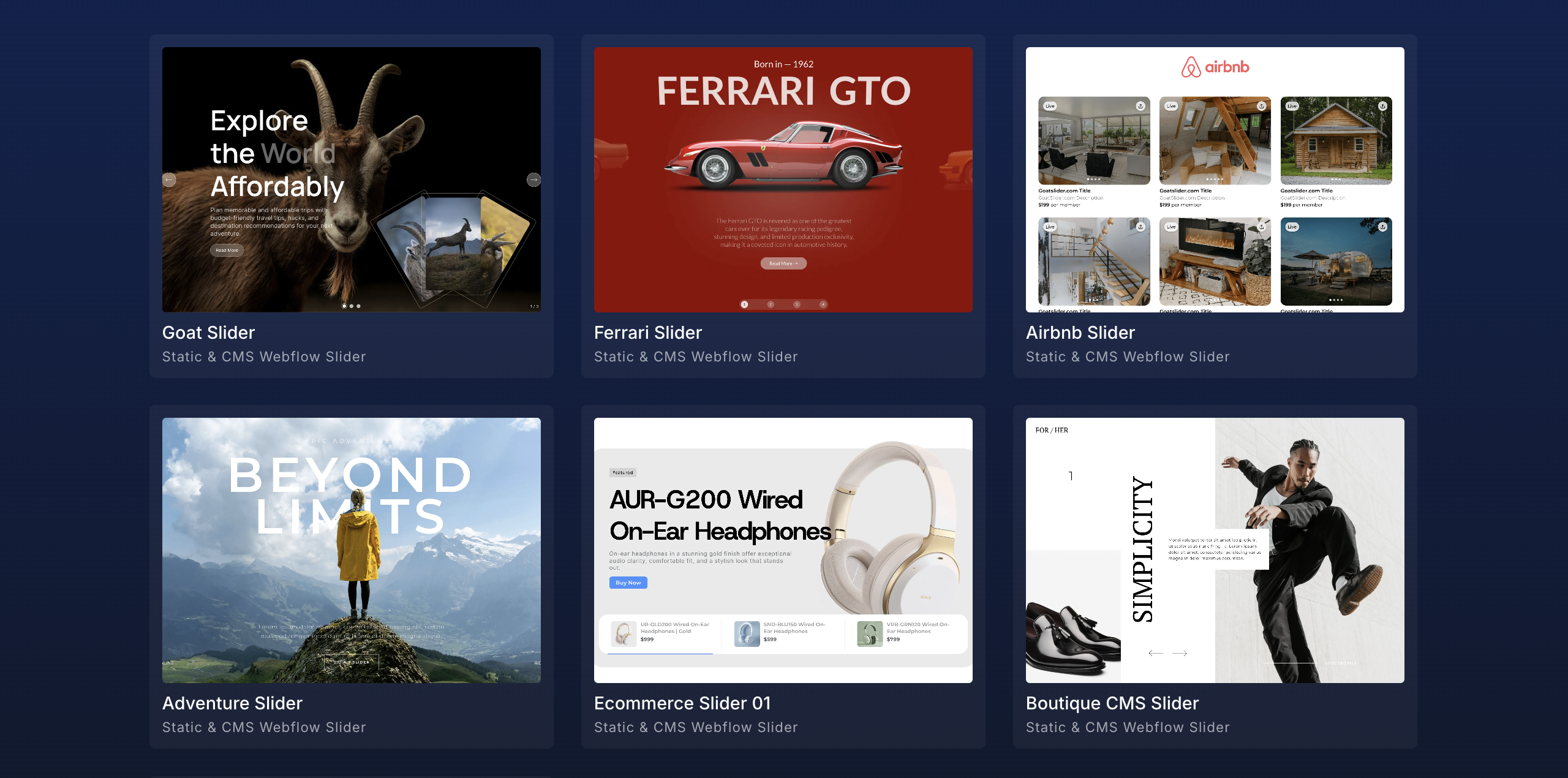
Purpose-built slider solutions like Goatslider extend Webflow's capabilities specifically for CMS-powered implementations. These tools provide direct CMS collection integration, support for complex slide structures, and features like draggable navigation and custom counters that native components cannot match. The investment in specialized tooling pays returns through expanded design possibilities and streamlined content operations.
When selecting tools for CMS-powered sliders, evaluate several factors. How seamlessly does the solution integrate with Webflow's CMS? What slide templates are available, and how customizable are they? Does the solution support the specific slider behaviors your project requires, such as infinite loops, autoplay, or keyboard navigation? Are there performance optimizations for large content volumes?
The answers to these questions will guide selection toward solutions that match your specific requirements and workflow preferences.
CMS-powered sliders represent an investment in long-term content operations efficiency. The initial implementation requires more planning than static alternatives, but the ongoing workflow benefits compound over time. Content teams gain autonomy. Developers escape repetitive update cycles. The website maintains fresh, relevant presentations that serve business objectives effectively.
For Webflow designers committed to building professional, maintainable websites, mastering CMS-powered slider implementation is essential competency. The combination of thoughtful collection design, robust slider architecture, and capable tooling creates content systems that serve clients and organizations well for years after launch.
Latest Insights
Dive into our blog to discover insightful articles covering a variety of topics tailored for SaaS platforms.

Transform your Webflow slider experience with Goat Slider.


Designed By @OwlsTech Service
.jpg)